SYS.DOCS // DOCS
Kubernetes Cron Jobs
Cron Jobs let you run recurring batch workloads in your cluster, such as backups, data sync jobs, report generation, and cleanup tasks.
Create a Cron Job
- Open your cluster and go to Cron Jobs.
- Select Create CronJob.
- Complete the tabs:
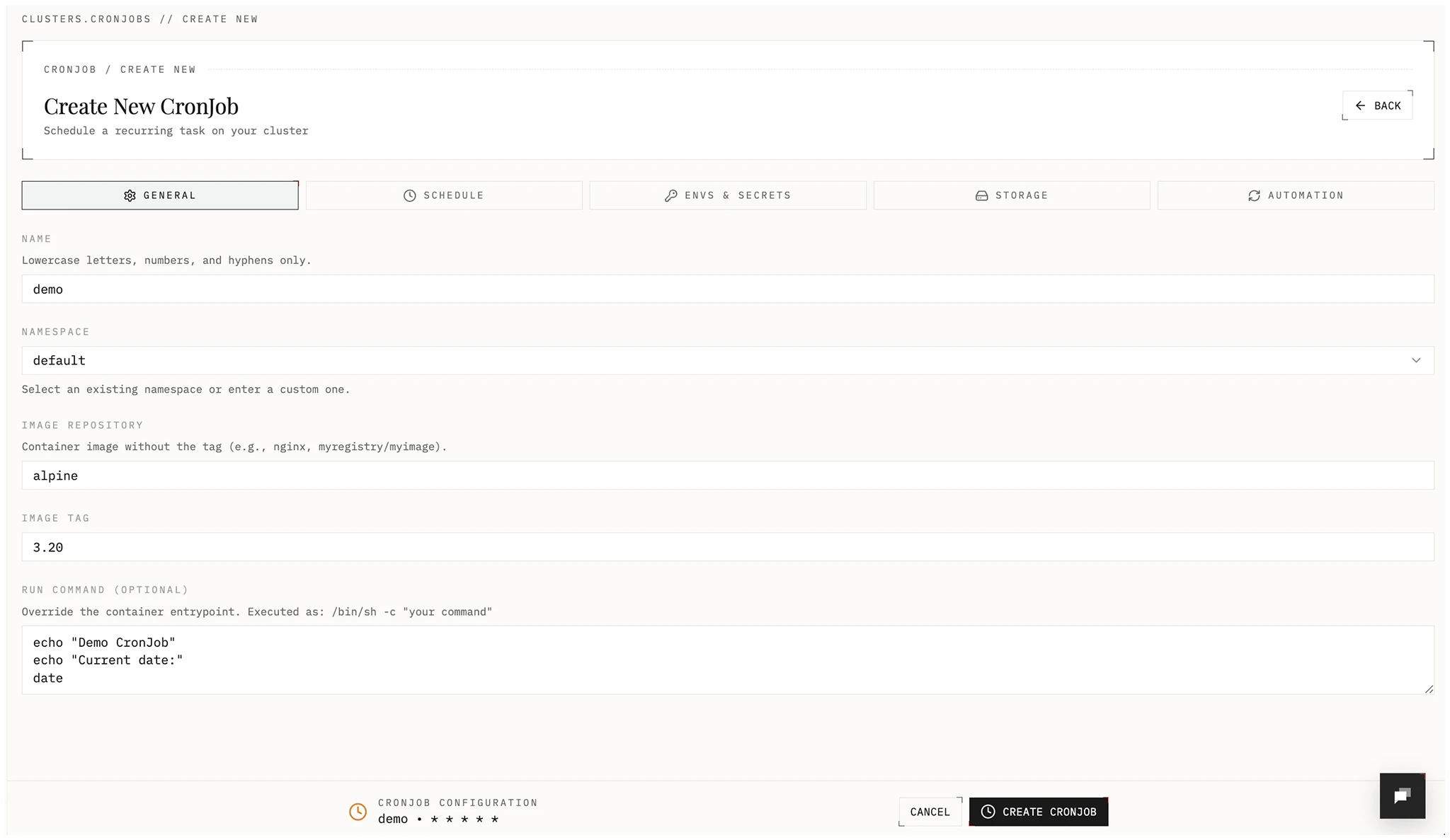
- General: name, namespace, image repository/tag, optional run command.
- Schedule: cron expression, concurrency policy, retries, history limits. Optional: suspend future runs. This creates a CronJob resource in your cluster and allows you to trigger manual runs.
- Envs and Secrets: environment variables and Kubernetes secrets.
- Storage: optional persistent volumes or EmptyDirs.
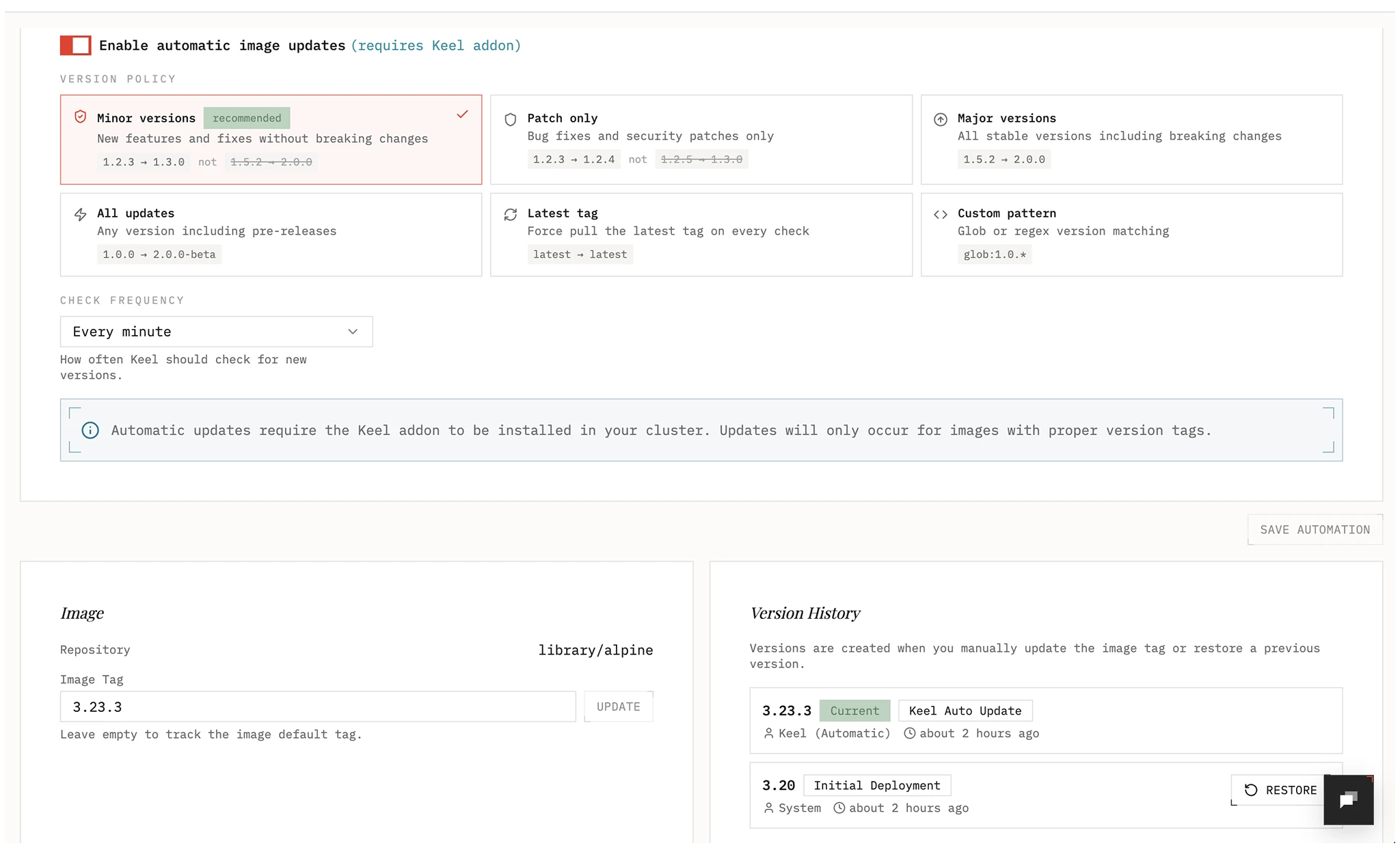
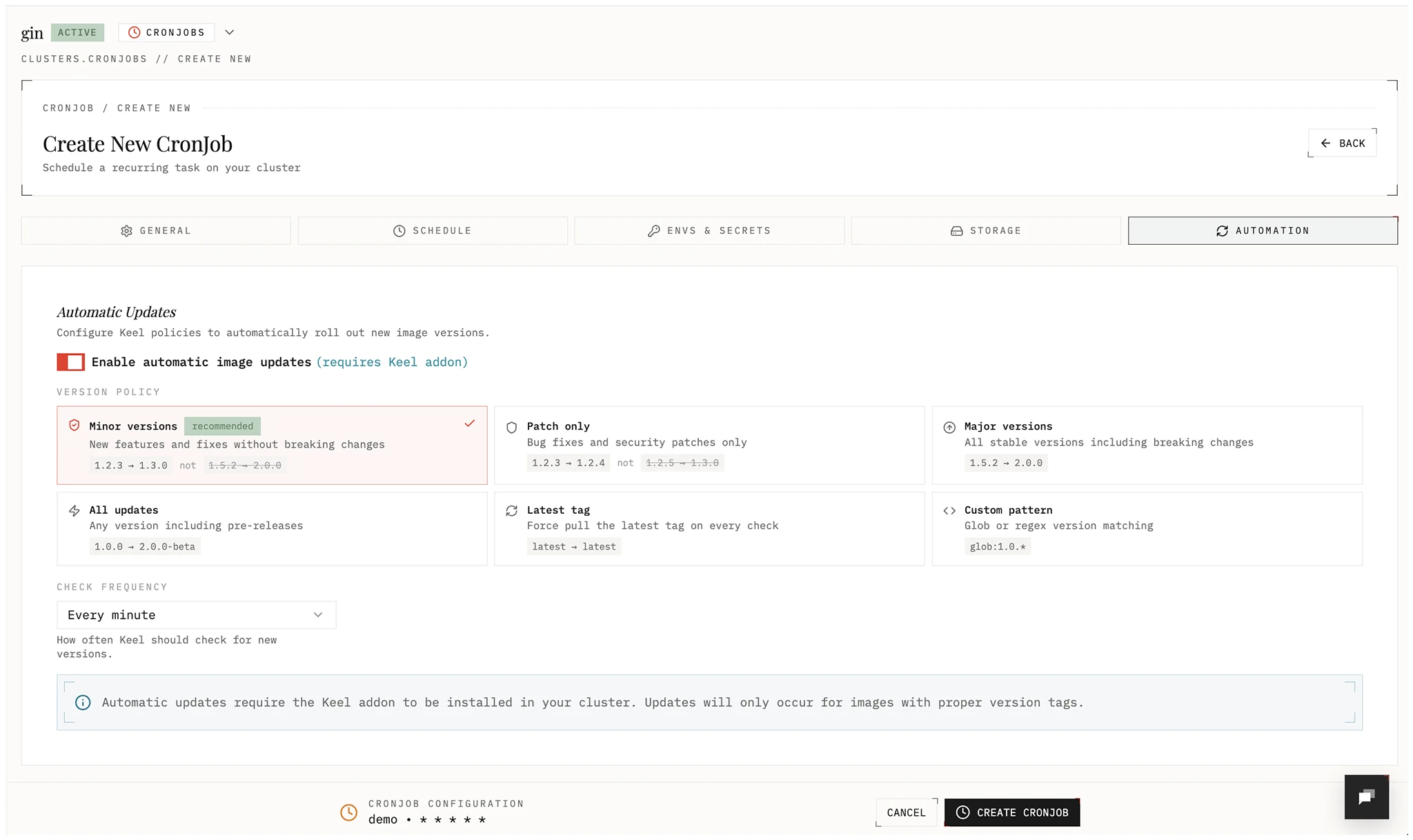
- Automation: optional image auto-update policy and frequency.
- Save to deploy the Cron Job.
Scheduling options
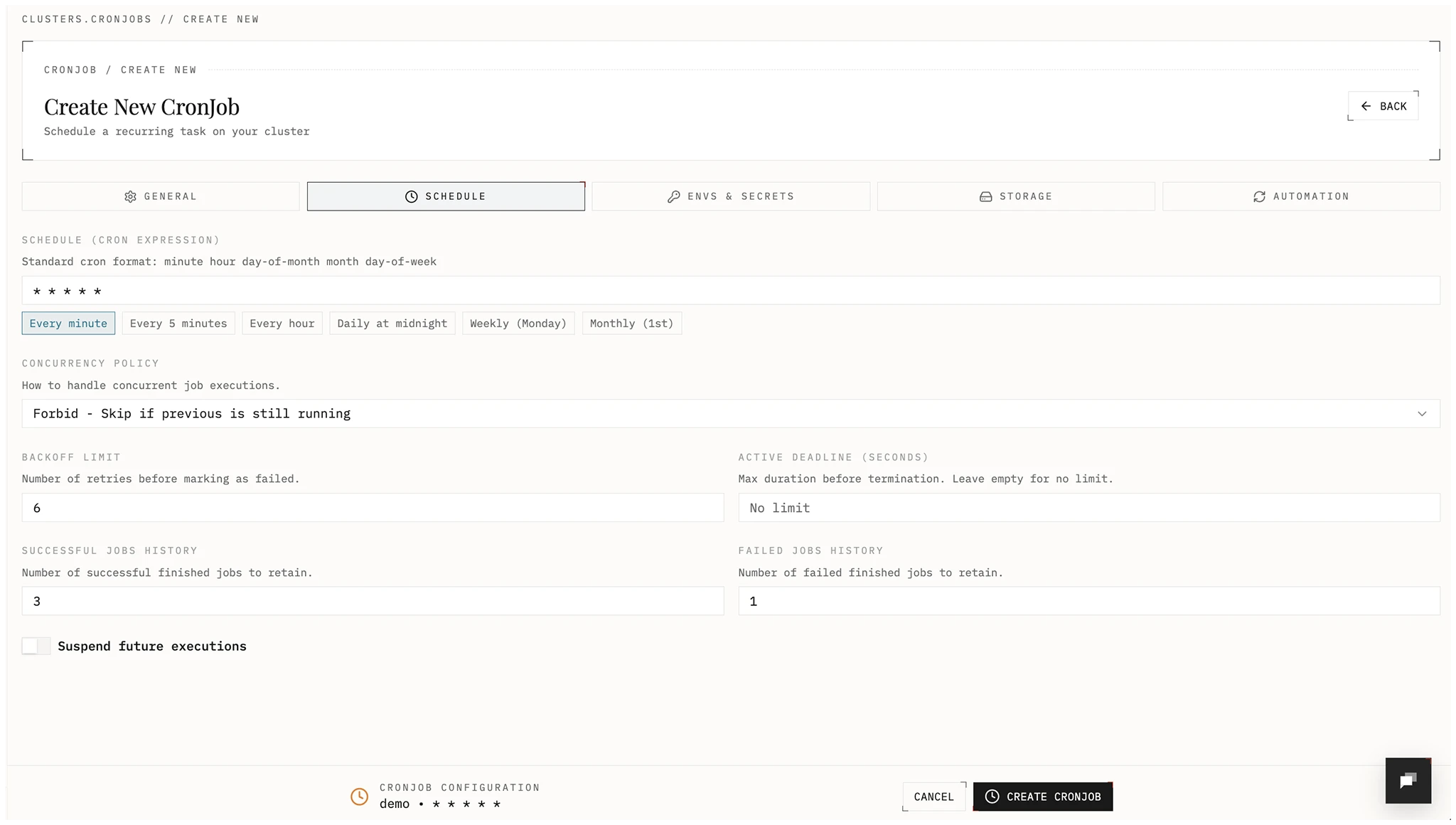
- Cron expression: standard 5-field format (
minute hour day-of-month month day-of-week). - Concurrency policy:
Forbid: skip a run if the previous run is still active.Allow: run jobs concurrently.Replace: stop the running job and start a new one.
- Backoff limit: retry count before a run is marked failed.
- Active deadline: max runtime in seconds before termination.
- History limits: number of successful and failed jobs to keep.
Examples:
- Every 5 minutes:
*/5 * * * * - Every hour:
0 * * * * - Daily at midnight:
0 0 * * *
Environment variables and secrets
Add configuration and sensitive values.
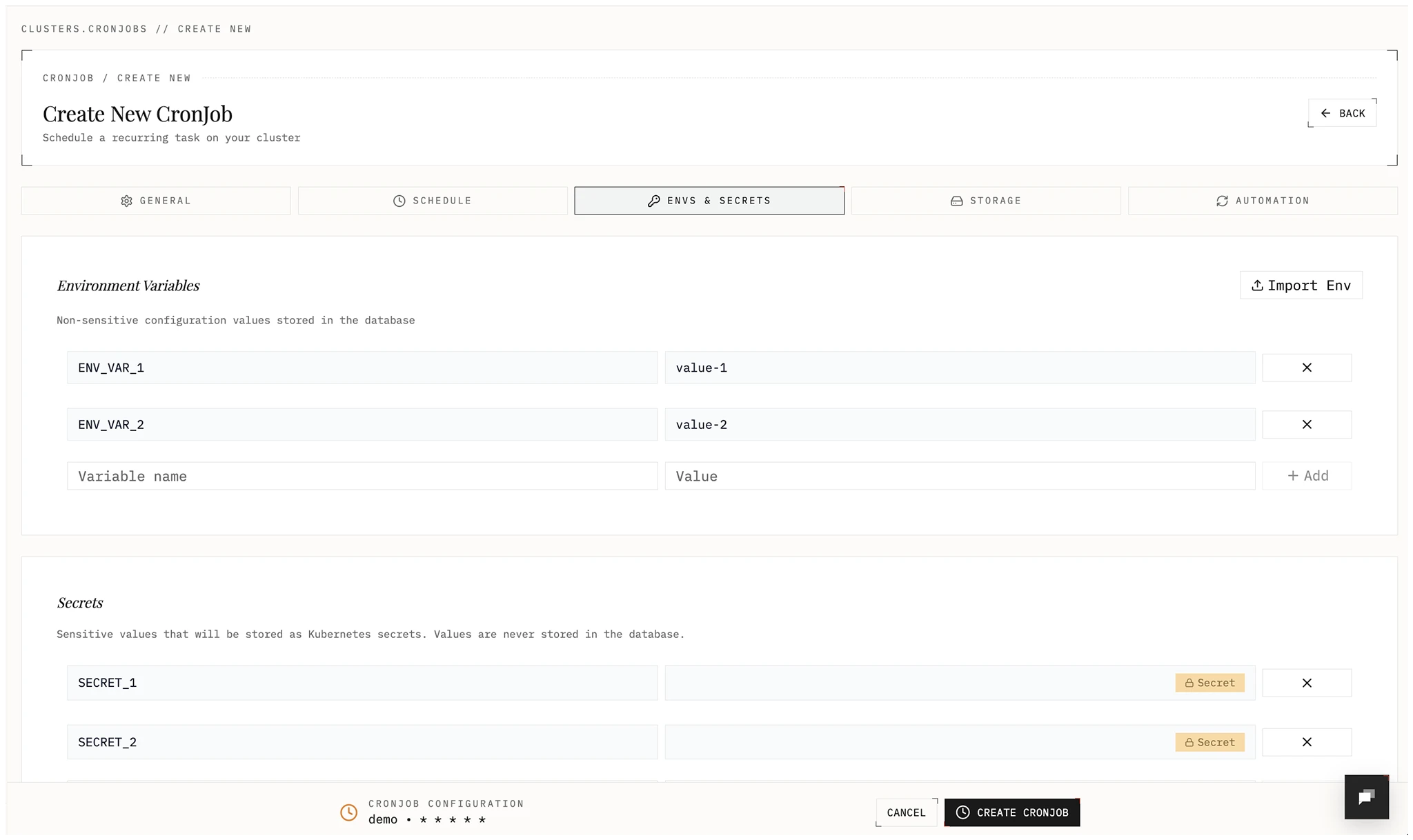
- Environment variables: Non-sensitive key-value pairs.
- Secrets: Stored as Kubernetes Secrets in your cluster and exposed to the Cron Job as env vars. Values are write only in Edka; update by submitting a new value.
Edka allows importing values from .env, JSON, or YAML, or add them individually. Edka will validate and assigns them as environment variables or secrets.
Automation
Automatically roll out new images using SemVer policies when a new image is pushed.
Policies:
- all: Update on any bump or prerelease (e.g., 1.0.0 → 1.0.1-rc1)
- major: Allow major, minor, and patch updates
- minor: Allow minor and patch updates; block major
- patch: Allow patch updates only
- glob: Use wildcards to match versions (e.g.,
1.2.*) - latest: Update to the latest image tag.
Day-2 operations
From the Cron Job list and detail views, you can:
- Suspend and resume future executions.
- Trigger an immediate manual run.
- Update image, schedule, env vars, secrets, and storage config.
- Delete the Cron Job.
Runs and logs
Each Cron Job includes:
- Job history: recent Kubernetes job runs with status and timestamps.
- Logs: select run/pod, view previous container logs in case of a failure, and copy or download the output.
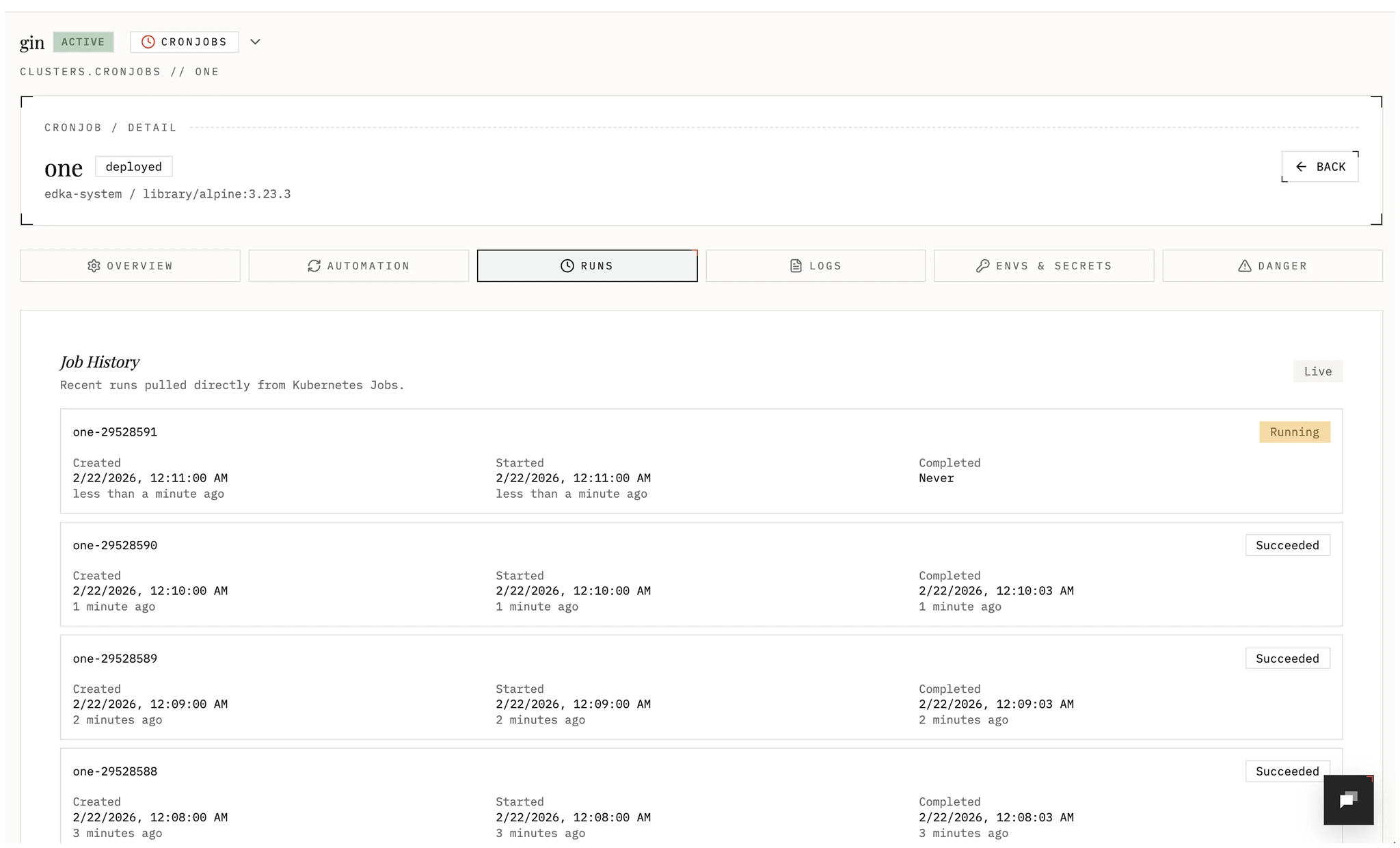
Image automation and rollback
Cron Jobs support image lifecycle controls:
- Version history tracks image changes (manual updates and Keel updates).
- Restore version rolls back to a previous image tag.
- Automatic updates (with Keel) support
minor,patch,major,all,latest, andcustom(glob/regex) policies with configurable check frequency.