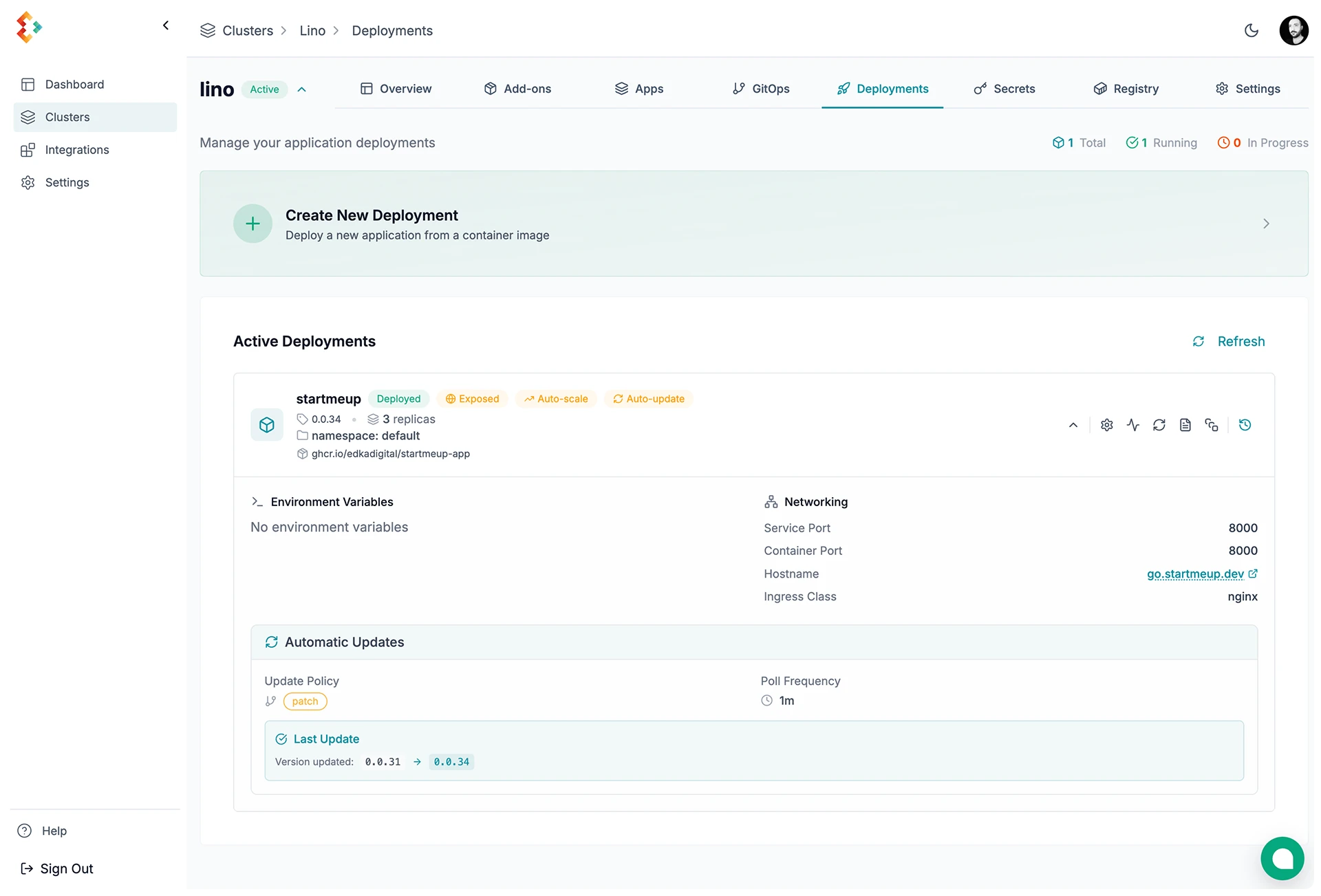
Kubernetes Deployments Management
Deploy containerized applications to Kubernetes with Edka.
Workload types
Section titled “Workload types”Edka supports three workloads:
- Container image deployments: manage a deployment from a pre-built image.
- Branch deployments (Git): build from a GitHub branch or tag, with optional preview environments. See Branch deployments.
- Cron Jobs: run scheduled batch workloads (for example backups, cleanup jobs, and sync tasks). See Cron Jobs.
Create a Deployment
Section titled “Create a Deployment”Basic Configuration
Section titled “Basic Configuration”Set the core deployment settings.
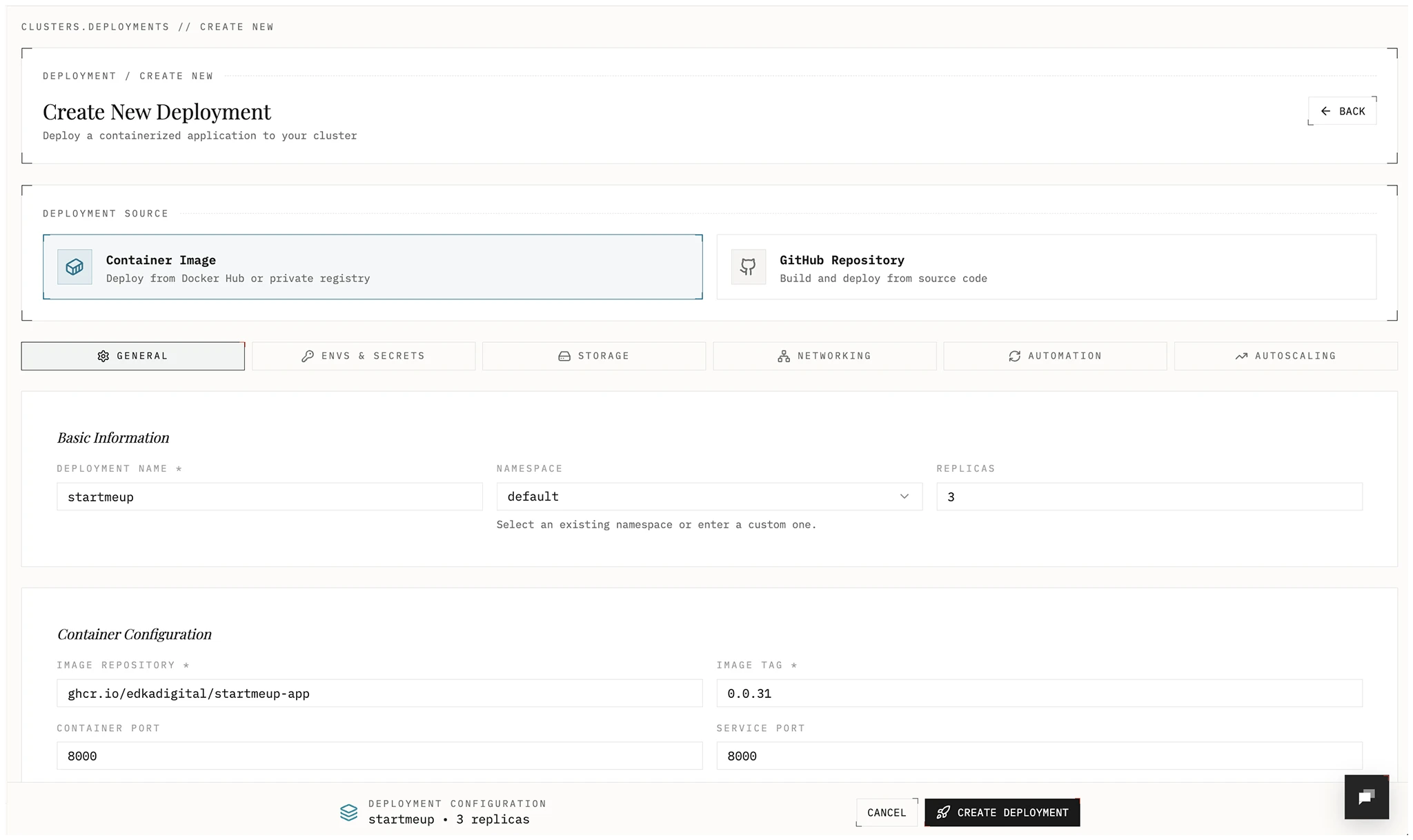
- Name: Deployment name
- Namespace: Kubernetes namespace
- Replicas: Number of pods
- Image repository: Container image source
- Image tag: Version to deploy
- Container port: Port exposed by the container
Environment Variables and Secrets
Section titled “Environment Variables and Secrets”Add configuration and sensitive values.
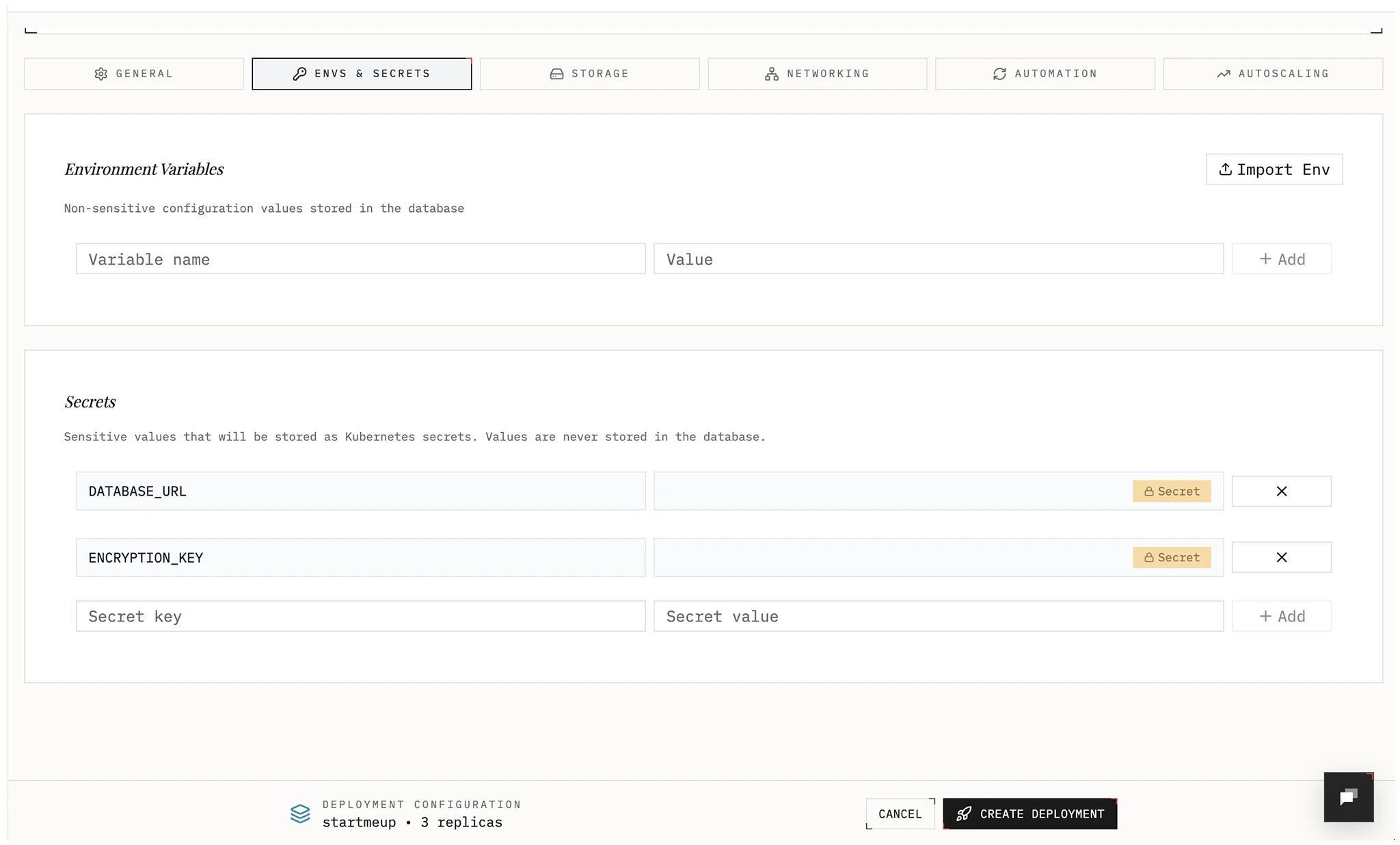
- Environment variables: Non-sensitive key-value pairs.
- Secrets: Stored as Kubernetes Secrets in your cluster and exposed to the deployment as env vars. Values are write-only in Edka; update by submitting a new value.
Edka allows importing values from .env, JSON, or YAML, or add them individually. Edka will validate and assigns them as environment variables or secrets.
Secrets from the cluster adds Secrets that already exist in the deployment’s namespace. The list has the Secrets entered on the cluster’s Secrets page, secrets synced from an external secret manager with External Secrets, and Secrets created another way, such as by a Helm chart or kubectl. Those show outside Edka. The list leaves out service account tokens, image pull Secrets and Helm release Secrets. Use it for values that several deployments share or that live in a secret manager.
- Every key of a selected Secret becomes an environment variable.
- A variable or secret entered on the deployment wins over a key with the same name.
- Pods read the Secrets when they start. To pick up a change, restart the deployment from the deployments list, or turn on Restart pods when a Secret changes. With it on, edka-agent 0.0.14 or later rolls the pods when a Secret entered in Edka or a synced secret changes. With an older agent, the card shows a hint to update it.
- A restart for a changed Secret shows on the History tab as a restart named after the Secrets that changed. This needs edka-agent 0.0.15 or later.
- A Secret marked outside Edka does not restart pods, even with the switch on.
- A deployment with a volume that mounts on one node at a time stops its running pod before the new one starts, so a restart takes it down briefly.
- A Secret that a deployment reads can’t be deleted from the Secrets page until you remove it here.
Storage
Section titled “Storage”Choose a storage type.
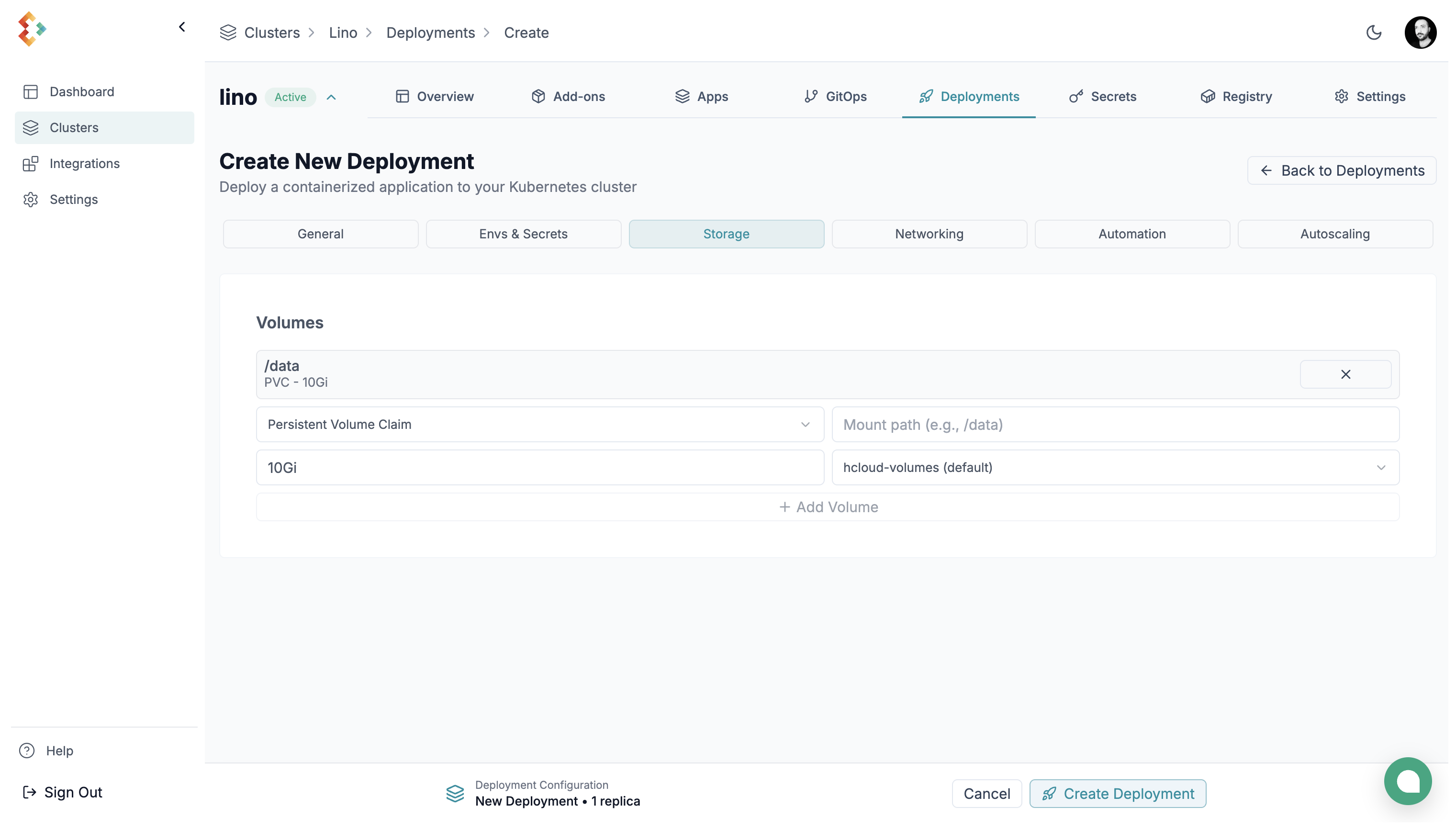
You can choose between:
-
Persistent Volume Claim (PVC): durable block storage. Enter a size (for example
10Gi) and pick a storage class. On Hetzner clusters the classes arehcloud-volumes(default) andhcloud-volumes-encrypted. -
Empty Directory (EmptyDir): ephemeral storage that lasts for the pod’s lifetime only.
-
Secret: mounts a Secret of the deployment’s namespace as read-only files. Each key becomes a file in the mount path. The files update when the Secret changes, without a restart. See Secrets Management.
When a cluster exposes multiple storage classes, Edka marks the default class and node-local classes in the selector. For persistent workloads, prefer the default non-node-local class unless you intentionally want storage tied to a single node.
Networking
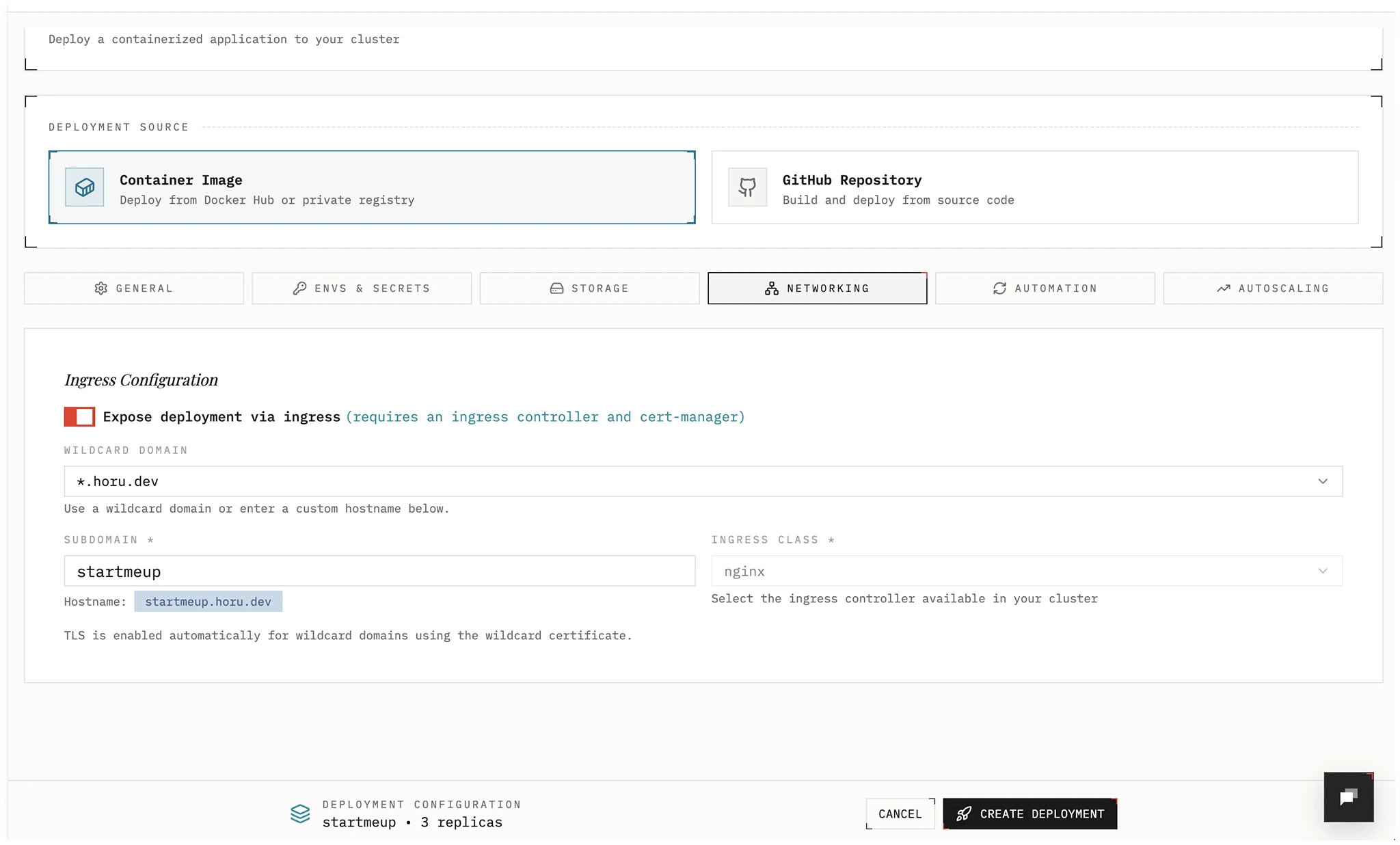
Section titled “Networking”Edka supports three exposure patterns in the deployment form:
- Internal Only keeps the default
ClusterIPservice inside the cluster. - Connected Domain publishes the deployment behind a managed hostname through
Gateway API, legacy ingress, or direct
tailscaleexposure. - Private LoadBalancer allocates a private IP from the cluster private subnet through MetalLB.
For new internet-facing workloads, Edka recommends installing Envoy Gateway from the cluster Gateway tab and selecting a Gateway API traffic class in Connected Domain mode.
For private traffic, Edka supports three paths:
- Select the direct
tailscaletraffic class to publish<subdomain>.<tailnet-dns-name>hostnames. - Create a Gateway class with exposure mode
Tailscale tailnet (BYOD)and use that traffic class for private Gateway API routes. - Create a Gateway class with exposure mode
MetalLB private VIPwhen you want private Envoy Gateway routing on the cluster subnet.
If you need a service-level private IP without hostname routing, choose
Private LoadBalancer. Edka will request a MetalLB-backed LoadBalancer
service and show the assigned private IPs in the deployment networking view.
TCP ports
Section titled “TCP ports”TCP Ports publishes raw TCP ports, such as SMTP on 25 or MQTT on 1883,
on the address of a Gateway class. Each row sends a Port on the class’s
address to a Container port. The ports share the class’s load balancer, and
the addresses to connect to appear under the Gateway class field.
- On each Gateway class, a port belongs to one deployment. Ports
80and443carry the class’s HTTP and HTTPS traffic. - A Gateway class on a Hetzner load balancer takes 5 ports,
80and443included. A deploy whose ports don’t fit fails and names the ports in use. Publish the rest on another Gateway class. - Send client addresses with PROXY protocol sends a PROXY protocol v2
header before each connection, so the container sees the client’s address.
Turn it on only for a server that reads the header, such as Postfix with
postscreen_upstream_proxy_protocol = haproxy. - A deployment behind a Private LoadBalancer publishes no TCP ports. Use a
MetalLB private VIPGateway class for its hostnames and TCP ports instead.
In the deployment’s namespace, the ports are a ListenerSet named after the
deployment and a TCPRoute per port.
For managed wildcard TLS, hostname domains, and preview domains, use the Domains view. Wildcard domains and DNS-validated hostname domains can target public Gateway classes, private MetalLB-backed Gateway classes, or tailnet-published Gateway classes. HTTP-validated hostname domains require a public Gateway API traffic class. See Domains and TLS.
If remote users need to reach MetalLB-backed private IPs, route the cluster private subnet through the Cloudflare connector or another private network. For the full private networking workflow, see Private Networking. For the full tailnet workflow, see Tailscale Tailnet Exposure.
If you already have a wildcard certificate managed for that traffic class, TLS
can be handled at the Gateway level. Direct tailscale exposure uses
Tailscale-managed certificates instead of public Let’s Encrypt HTTP-01.
Automation
Section titled “Automation”Roll out a new image when a newer version is published. In the Automation tab, turn on Enable automatic image updates and select:
- Version Policy: Minor versions, Patch only, Major versions, All updates, Current tag, or Custom pattern.
- Check Frequency: how often the registry is checked, from Every minute to Every 24 hours.
- Require approval: a new version waits until someone applies or skips it.
The Update Status panel shows the state of the last check, the update that waits for approval, and Check now. For the policies, approval, and troubleshooting, see Automatic image updates.
Autoscaling
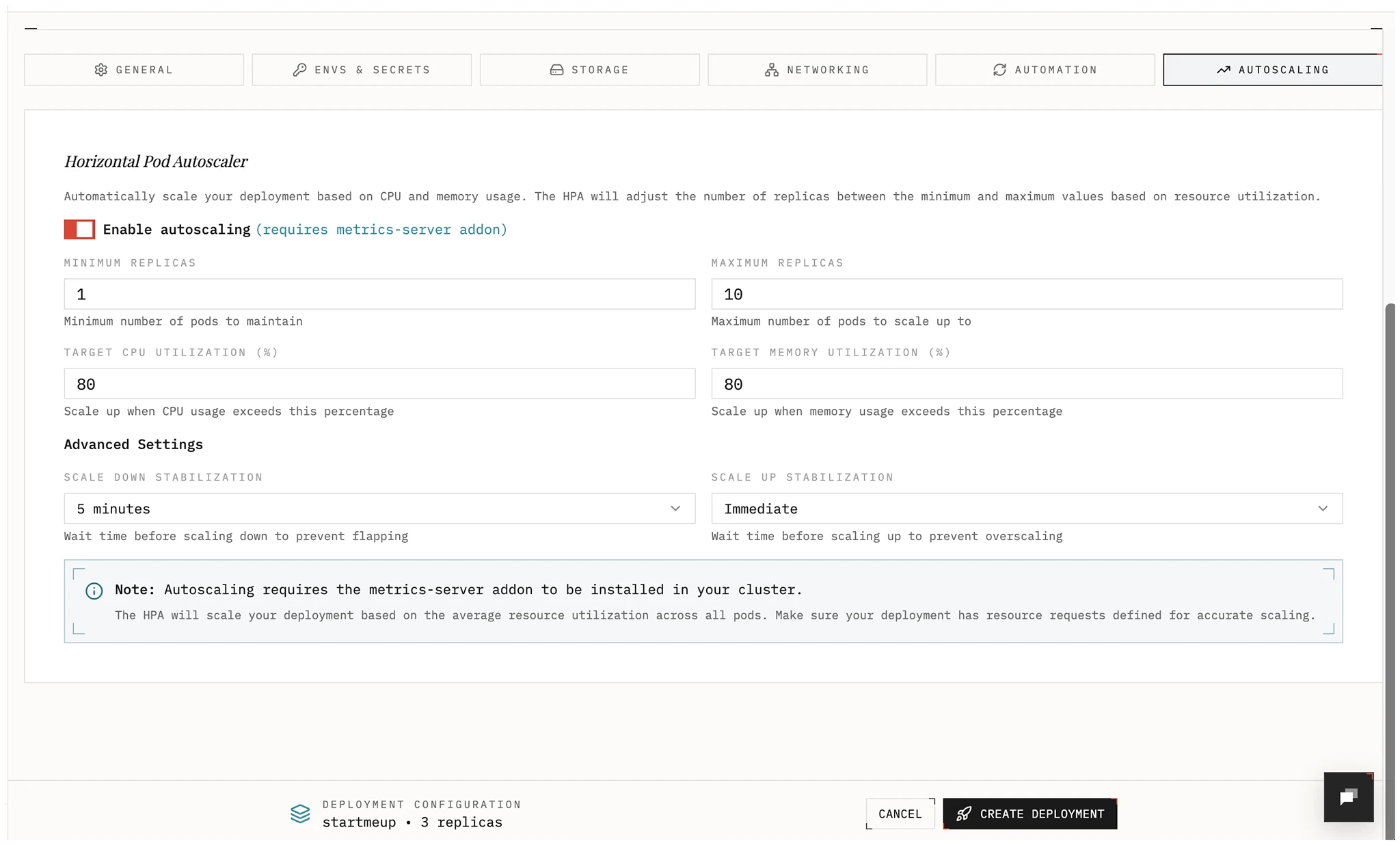
Section titled “Autoscaling”Enable a Horizontal Pod Autoscaler and choose metrics and target values to scale your deployment automatically.
Rollback
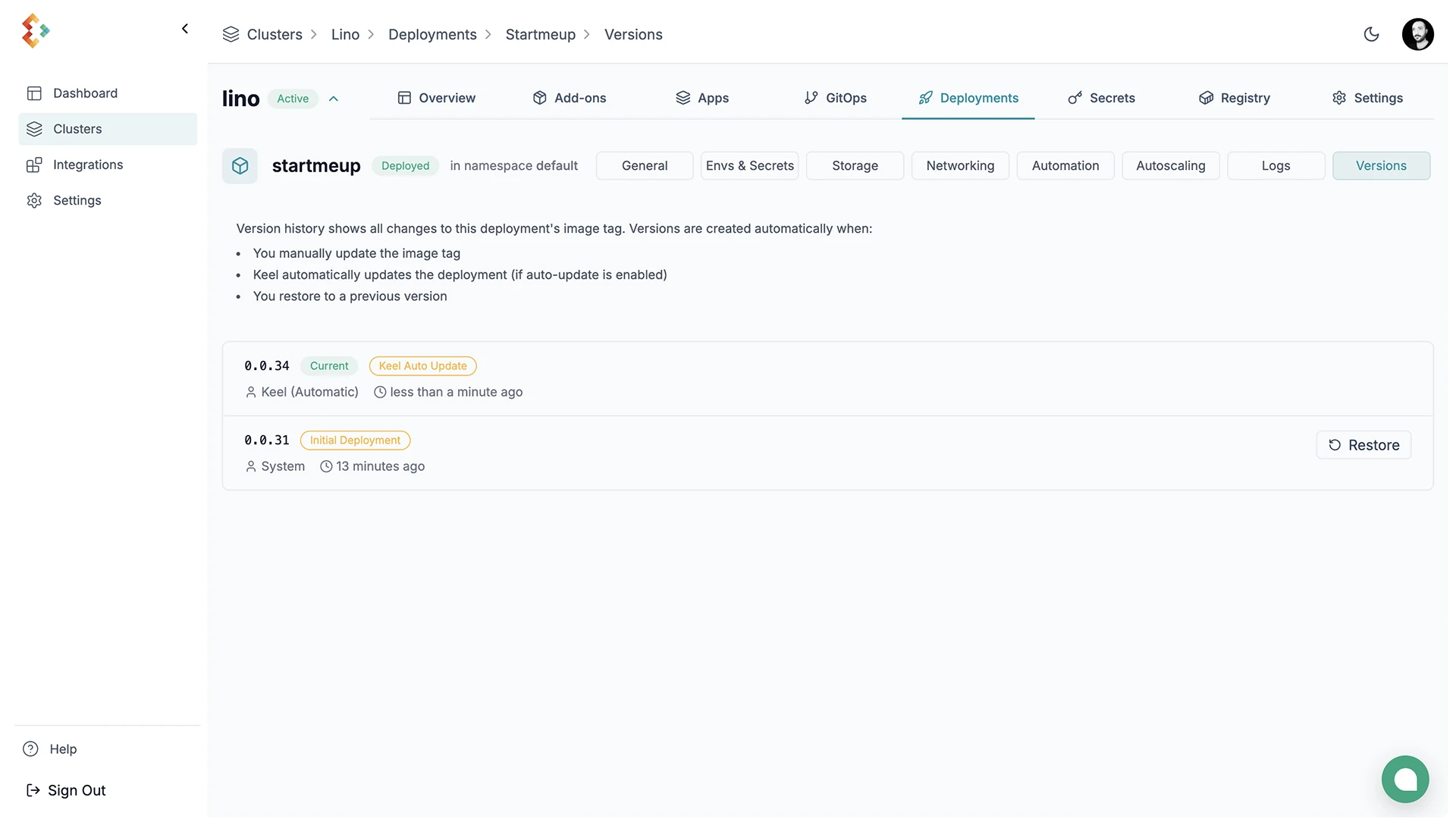
Section titled “Rollback”Restore a previous revision from the deployment actions menu. Restoring a version turns automatic updates off.
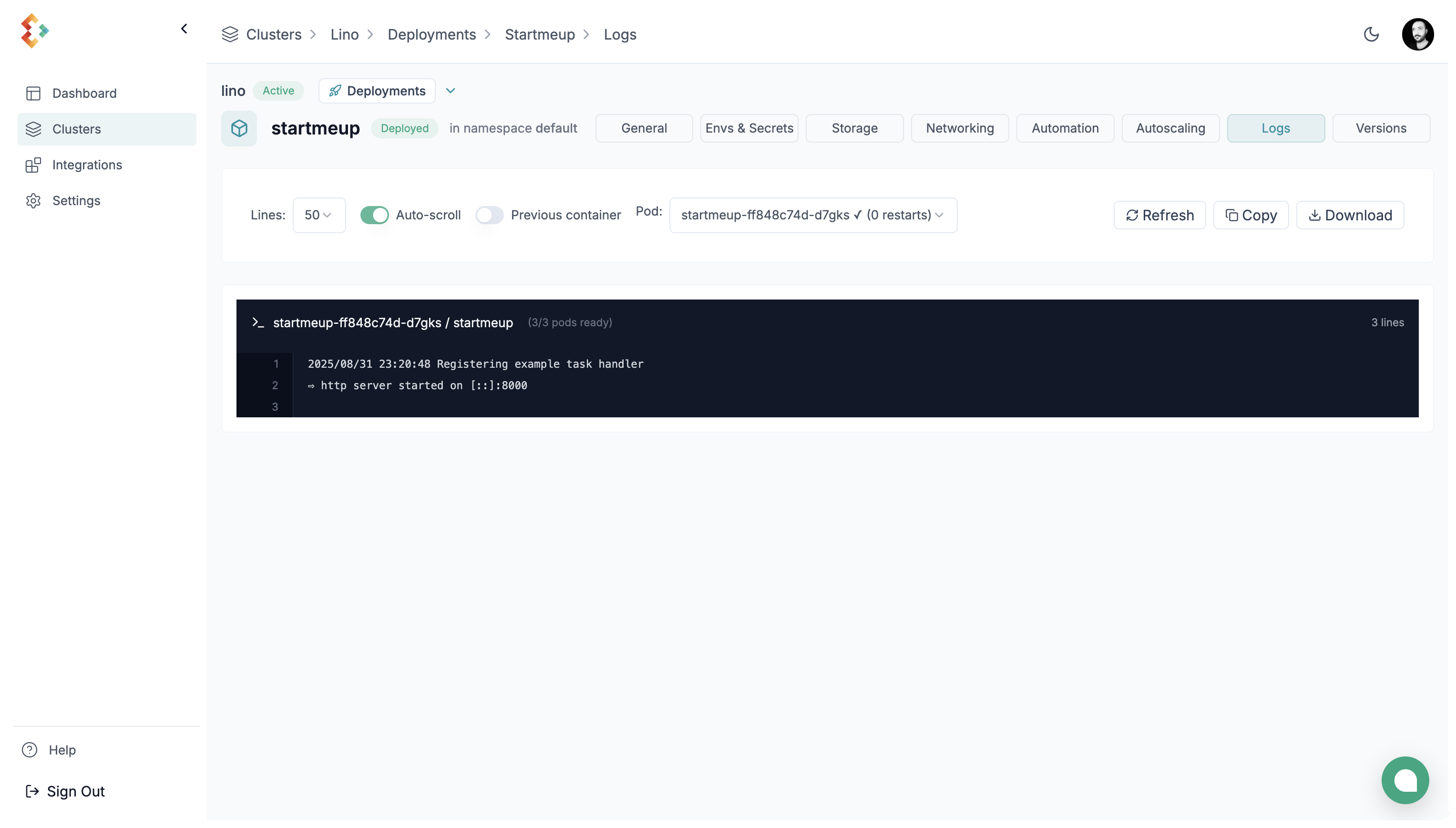
View the logs for your deployment from the deployment details dropdown.
Deployment Details
Section titled “Deployment Details”Details of your deployment are viewable from the deployment details dropdown.