

Domains and TLS
You can manage cluster-level domains from the Domains view. You can register single hostname or wildcard domains and use them to expose your traffic.
Domain types
Section titled “Domain types”- Wildcard domains:
*.example.comfor multiple deployment hostnames on the same traffic class. (recommended) - Hostname domains:
app.example.comfor a single public hostname with an HTTP-01 certificate. Only available for public Gateway API traffic classes.
Notes:
-
Wildcards are single level.
*.example.commatchesapp.example.com, notapp.dev.example.com. -
Wildcard domains can target Gateway API, legacy ingress controllers or Tailscale tailnet (BYOD) Gateway classes.
-
Single hostname domains require a public Gateway API controller.
-
Direct
tailscaleingress endpoints do not use the Domains view. When you select the directtailscaletraffic class, Edka builds the hostname from your tailnet DNS name and Tailscale manages the certificate. See Tailscale Tailnet Traffic Exposure. Private Gateway classes published withTailscale tailnet (BYOD)can still use wildcard domains from the Domains view, but public HTTP-01 validation is not available on that traffic path.
Add a domain
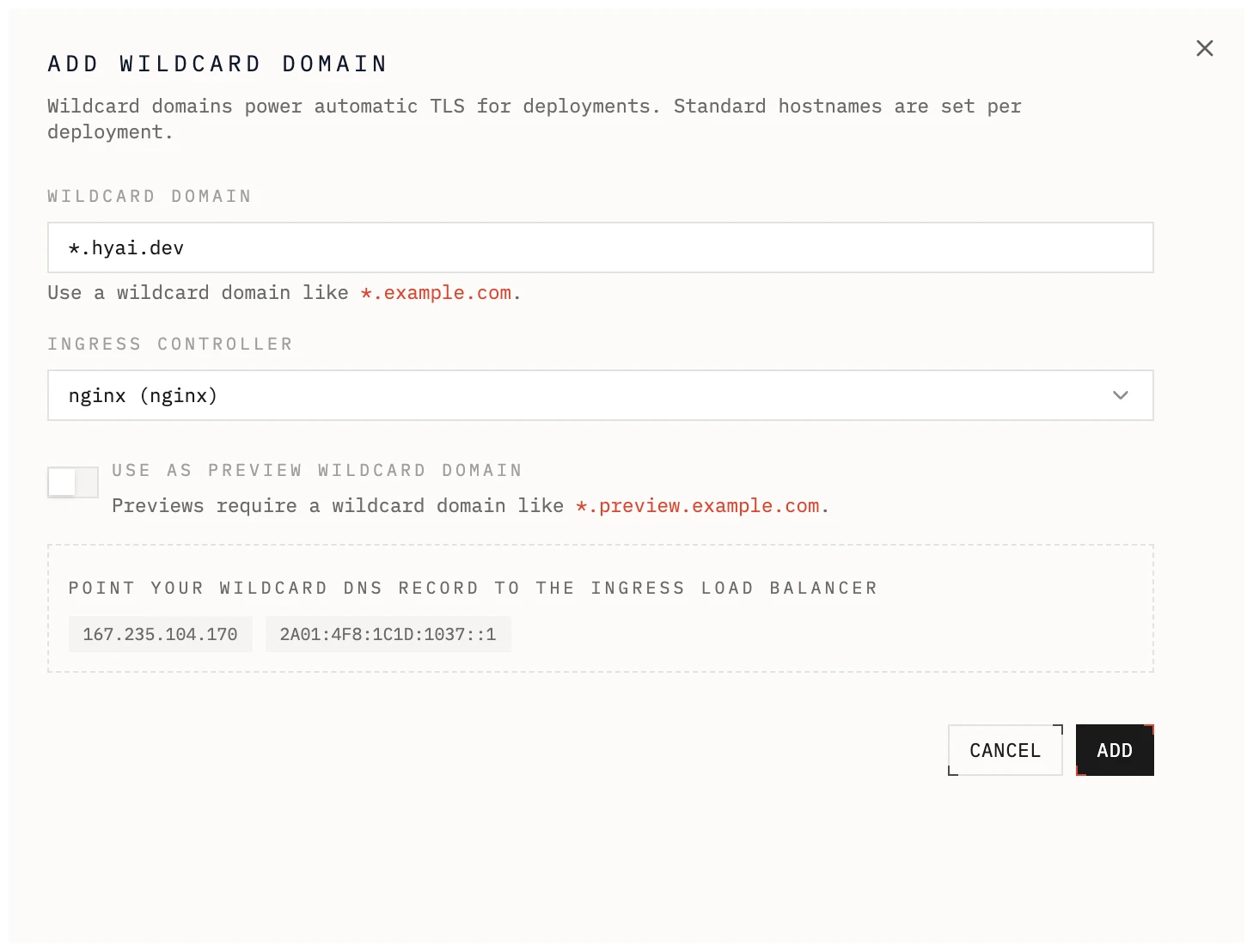
Section titled “Add a domain”- Open a cluster and go to Domains.
- Add either
*.example.comorapp.example.com. - Select the traffic class.
DNS records
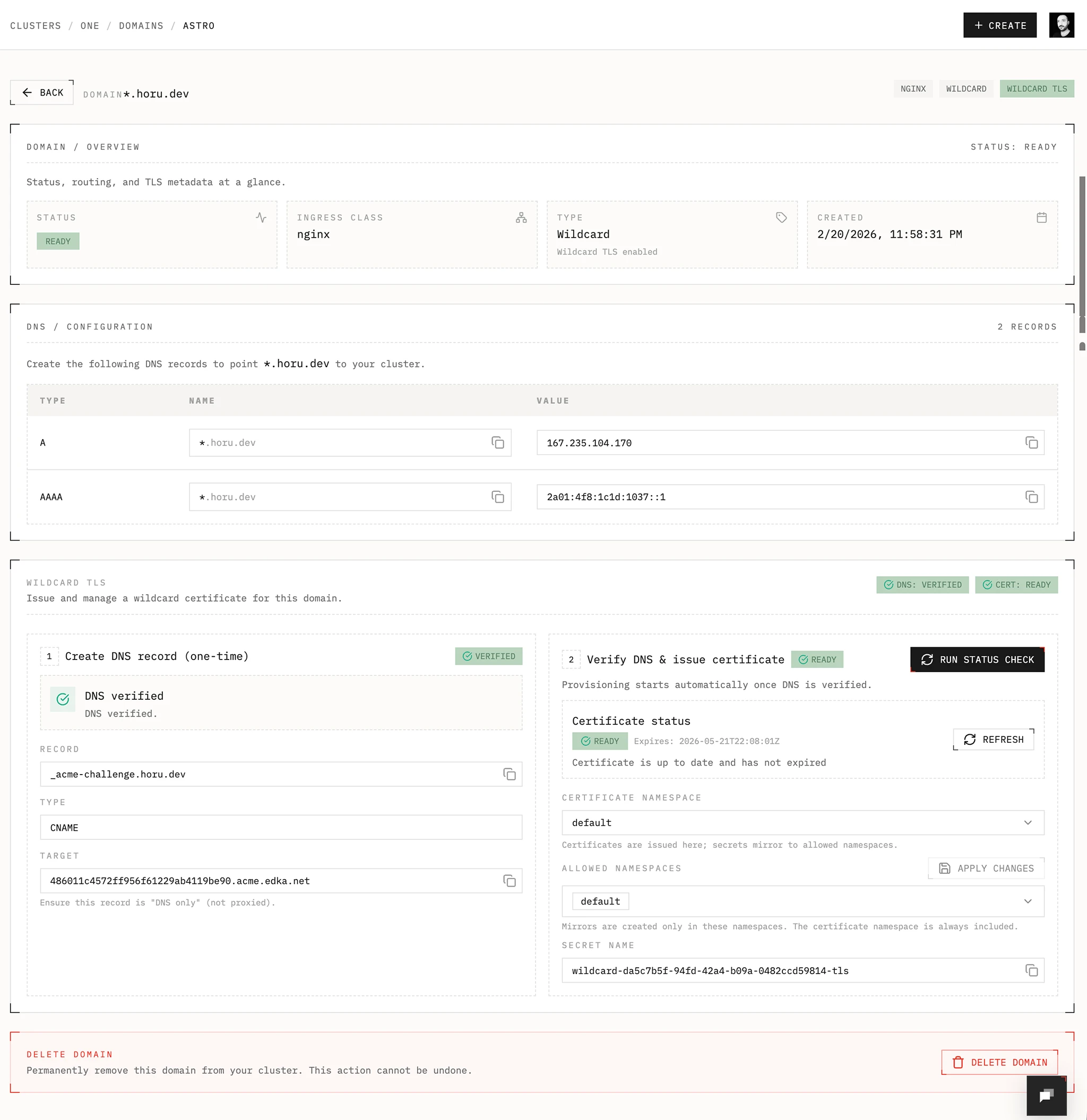
Section titled “DNS records”The Domains view shows the recommended DNS records for the selected traffic class using its live endpoints.
Public Gateway API or legacy ingress controllers
Section titled “Public Gateway API or legacy ingress controllers”- Use the A or AAAA records shown in the UI.
- For wildcard domains, point the wildcard record at the controller endpoint.
- For hostname domains, point the exact hostname at the controller endpoint.
Tailscale tailnet (BYOD) Gateway classes
Section titled “Tailscale tailnet (BYOD) Gateway classes”- Private tailnet-published Gateway classes only use the wildcard CNAME shown in the UI.
TLS behavior
Section titled “TLS behavior”Wildcard domains
Section titled “Wildcard domains”Edka provisions and renews wildcard certificates with cert-manager using the Edka DNS-01 webhook inside your cluster.
DNS delegation
Section titled “DNS delegation”- Create the delegation record shown in the domain details.
- Name:
_acme-challenge.example.com - Type:
CNAME - Target:
<delegation-id>.acme.edka.net
Make sure the record is DNS only, not proxied. After DNS propagates, Edka checks the delegation and tracks certificate status from the Domains view.
Requirements
Section titled “Requirements”- cert-manager add-on
- Edka DNS-01 webhook add-on
- Reflector add-on if you want to mirror secrets to multiple namespaces (only necessary for legacy ingress controllers)
Namespaces and secrets
Section titled “Namespaces and secrets”- Certificate name:
wildcard-<domain-id> - Secret name:
wildcard-<domain-id>-tls - Default namespace:
envoy-gateway-system. For legacy ingress controllers, the default namespace isedka-system. - Allowed namespaces control where the secret is mirrored. (not necessary when using Gateway API)
- If you plan to have a deployment in a namespace other than the default, for example the
productionnamespace, you need to add the namespace to the allowed namespaces. The Reflector add-on will mirror the secret to the other namespaces. (only necessary for legacy ingress controllers)
Single hostname domains
Section titled “Single hostname domains”- Edka provisions a single Let’s Encrypt certificate using HTTP-01 validation on the selected public Gateway.
- The certificate is managed on the Gateway and attached automatically.
- Because HTTP-01 needs public reachability, single hostname domains are not available
on private Gateway classes and
Tailscale tailnet (BYOD)Gateway classes.
Using domains in deployments
Section titled “Using domains in deployments”- Wildcard domains are the most flexible option when you want to expose multiple deployments or applications under a single domain. For preview environments, only wildcard domains are supported.
- Use single hostname domains when you want a single cluster-managed FQDN on a public Gateway API traffic class.
- If you select the direct
tailscaletraffic class, skip the Domains flow and provide a tailnet subdomain instead in deployment or app networking/access form.