

Gateway API
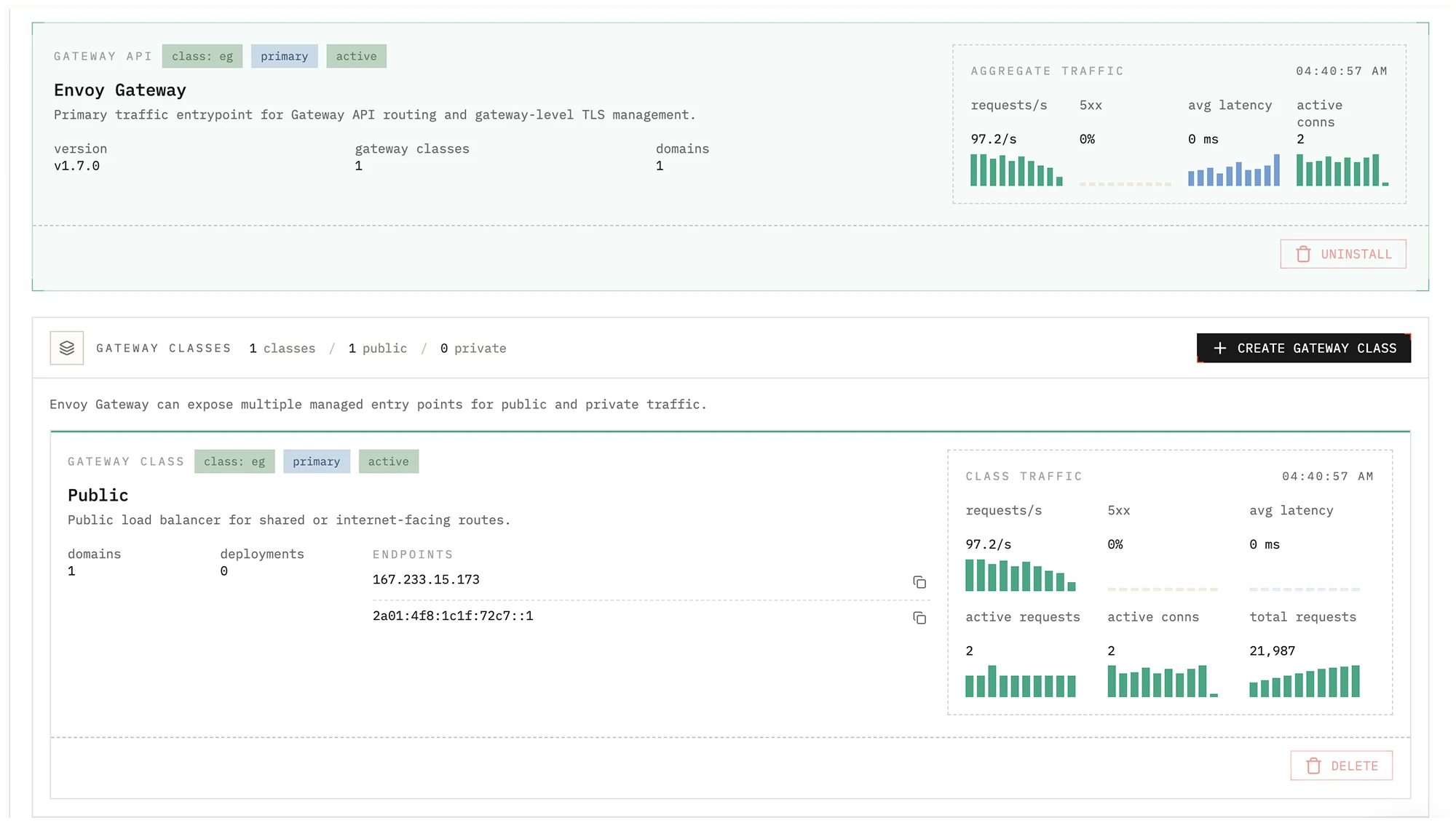
The Gateway tab is where you manage cluster traffic entry points in Edka.
Envoy Gateway is the primary controller for public exposure and wildcard
domain routing. Legacy ingress controllers such as ingress-nginx can still be
used when you need compatibility with existing manifests.
With the Tailscale operator installed, you can create dedicated Envoy Gateway classes to expose your traffic privately into your tailnet.
What you can manage
Section titled “What you can manage”- Install and upgrade Envoy Gateway from the cluster Gateway tab.
- Install Tailscale operator directly from the Gateway view when you need tailnet exposure.
- Create additional Gateway classes backed by dedicated public or private load balancers, or published to your tailnet through Tailscale.
- Review the load balancer addresses assigned to each Gateway class.
- Inspect aggregate traffic metrics collected from Envoy proxy metrics.
Cluster Overview integration
Section titled “Cluster Overview integration”When a cluster has Gateway API controllers available, the Overview tab shows a Gateway API summary card with:
- The primary endpoints for the primary Gateway class.
- A compact aggregate traffic panel with:
requests/s5xxavg latencyactive conns
- The total number of detected Gateway classes.
This gives you a quick read on public exposure without opening the full Gateway screen.
Gateway classes
Section titled “Gateway classes”Edka uses traffic classes to select how workloads are exposed.
- The primary Envoy Gateway class is
eg. - Additional Gateway classes can be created for dedicated public or private load balancers, or for private tailnet traffic exposure with Tailscale.
- Each class receives its own load balancer address once provisioning finishes.
Deployments, wildcard domains, and public hostname domains can then target the appropriate traffic class. Single hostname domains require a public Gateway API class.
DNS and traffic flow
Section titled “DNS and traffic flow”For internet facing workloads, point your DNS records to the primary Gateway API endpoints shown in cluster overview or the full Gateway view.
For wildcard domains:
- Register the wildcard domain in Domains.
- Select the traffic class that should bind with that domain.
- Let cert-manager issue and renew TLS certificates for that traffic entry point.
For hostname domains:
- Register the hostname in Domains.
- Select a public Gateway API traffic class.
- Cert-manager will issue and renew the certificate using HTTP-01 validation on the selected public Gateway.
For private tailnet routes, create a Gateway class with exposure mode
Tailscale tailnet (BYOD). Envoy stays in-cluster, and the Gateway service is
published to your tailnet through the Tailscale operator. Because that traffic
class stays private, public Let’s Encrypt HTTP-01 validation is not available
on that path. If the operator is not installed yet, the Gateway page shows an
install action before you create the class.
Legacy ingress support
Section titled “Legacy ingress support”NGINX Ingress remains available for compatibility with existing Ingress-based workloads, but Gateway API with Envoy Gateway is the recommended default for new clusters and new deployments in Edka.